Items
Items are entities that are connected to the Auroral platform through the Auroral Node. They represent the building blocks of the data ecosystem that exists within the Auroral platform, and provide the raw data and metadata which are being exchanged in the platform. Items in the Platform are represented by either:
| Item | Examples |
|---|---|
device |
|
service |
|
Which means they can be physical devices, such as sensors or actuators, or logical entities, like databases or software systems.
Device
In AURORAL physical items are referred as devices. These are typically sensors or smart appliances that connect with an AURORAL Node through an adapter.
Service
In AURORAL virtual items are referred as services. They can be any type of software or platform that produces or uses data. They can be connected through an adapter or directly to the Node OpenAPI.
Registering an item
In order to start consuming data from the item, it has to by discoverable in the Auroral platform. For that to happen, the item needs to be registered with context data into AURORAL. This requires to use the W3C Thing Description, which is a JSON-LD document that describes a Thing and how to interact with it.
The process to register an item is then as follows:
- Identify a suitable device or service to be integrated with AURORAL
- Describe the item basic information and and available interactions using a Thing Description
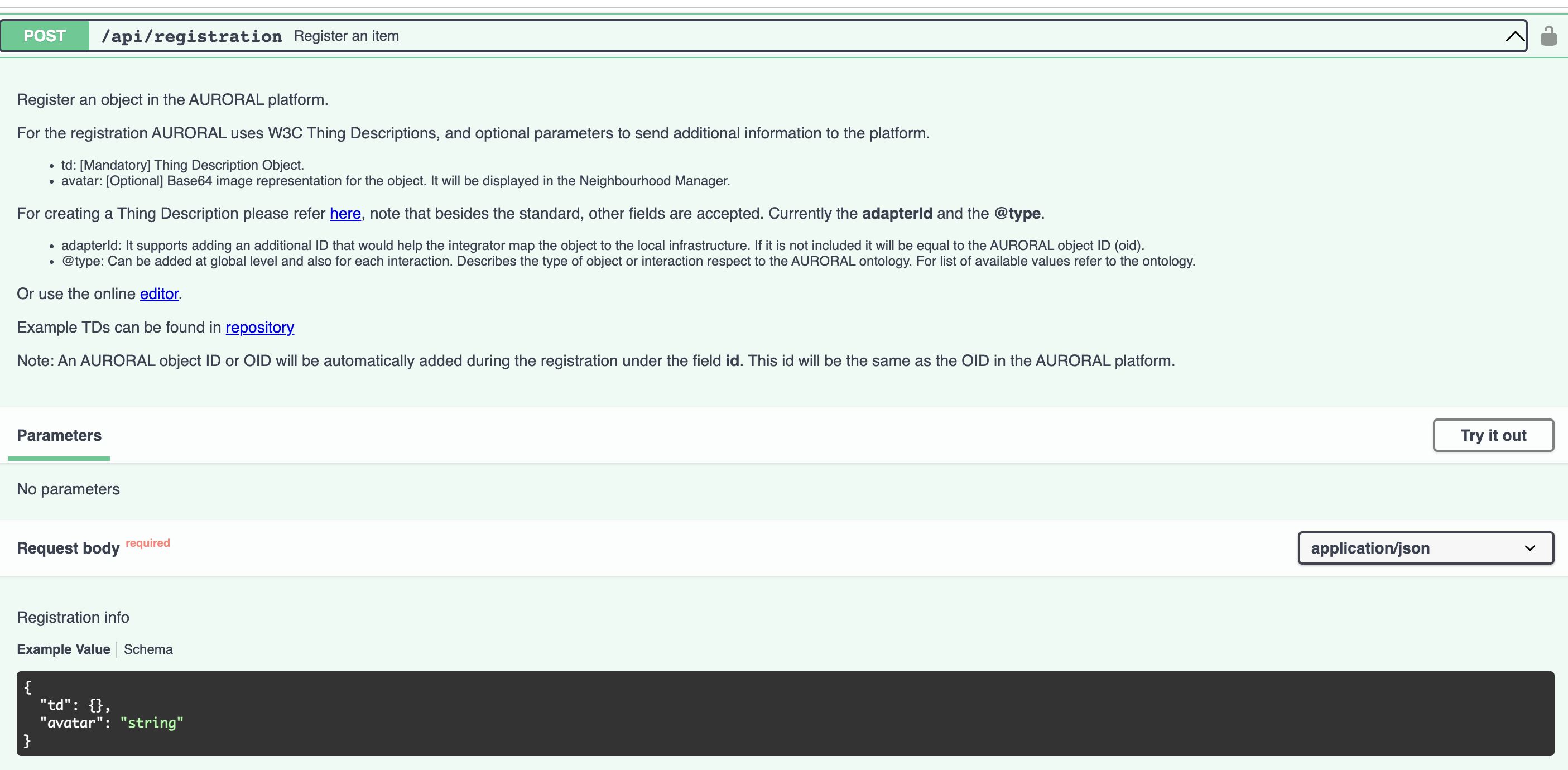
- Post the Thing Description using an AURORAL Node OpenAPI
- Your item is now available in the Neighbourhood Manager to be configured (Enable, disable, privacy settings...)
- You can interact with your item and read its data using the OpenAPI.
How do I send the Thing Description to AURORAL?
To send a Thing Description, and thus register you item into AURORAL, you need to use the openAPI. In the picture below you can see all the possible interactions related with the registration module.
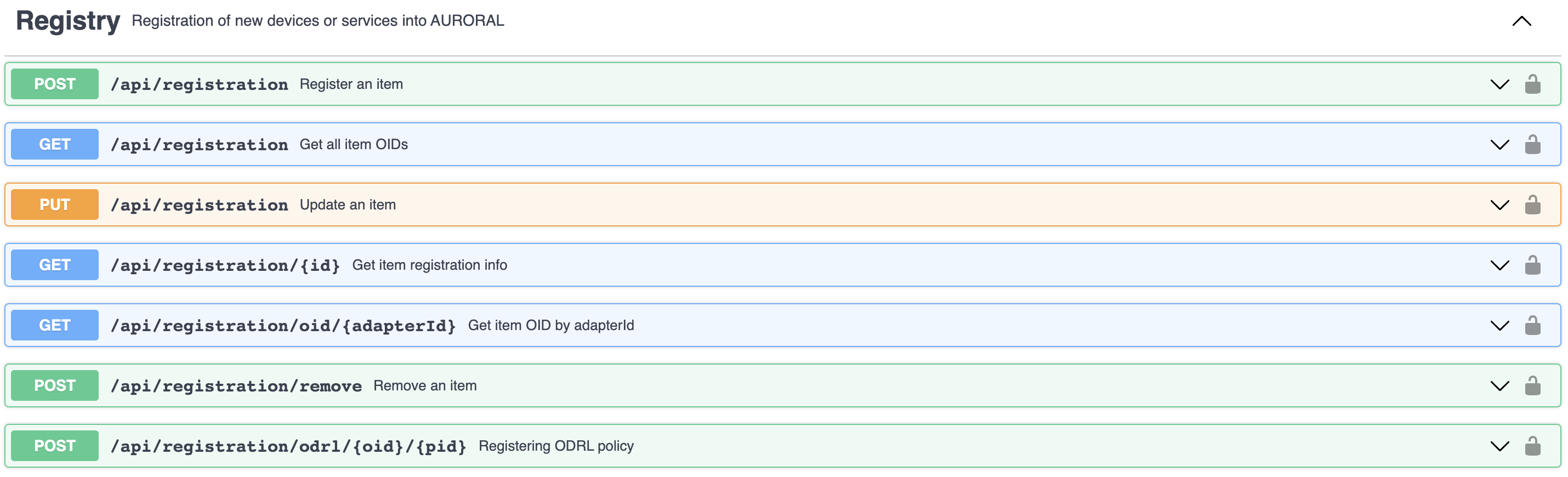
The first endpoint is used to perform the registration, while the others let you see, update or delete, among others. All endpoints are documented using SWAGGER and Open API specification. You can see the example for POST below:
How do I activate an item after the registration?
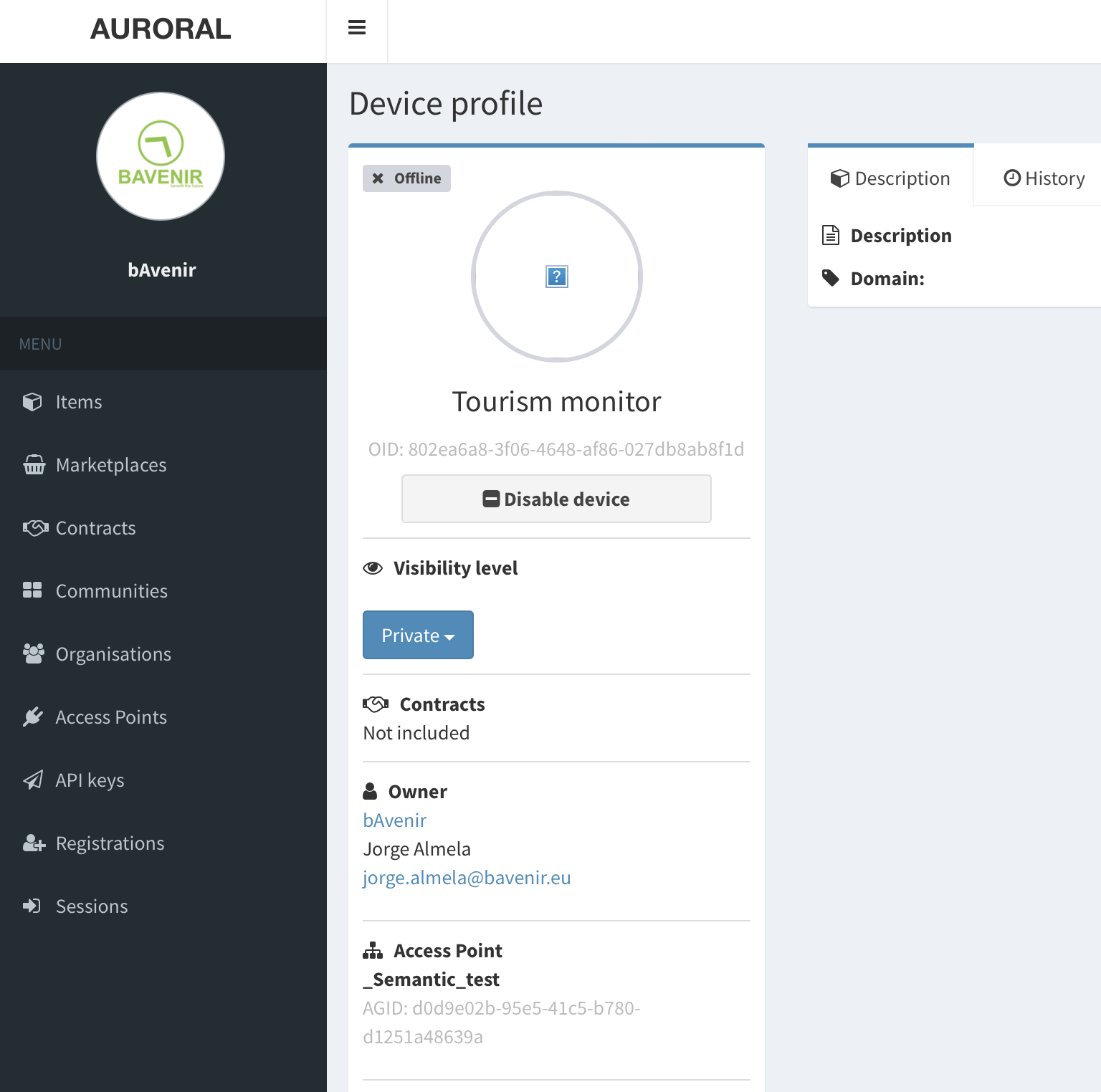
Activating an item in AURORAL means that a user, with the proper roles, claims the item. We can do that using the Neighbourhood Manager, looking for the item under the items section. In the item profile, as long as the item remains unclaimed, there will be a blue button for ENABLING. Enabling means that the item is included in the AURORAL network and now can be discovered and access, always following the restrictions defined by the governance section.
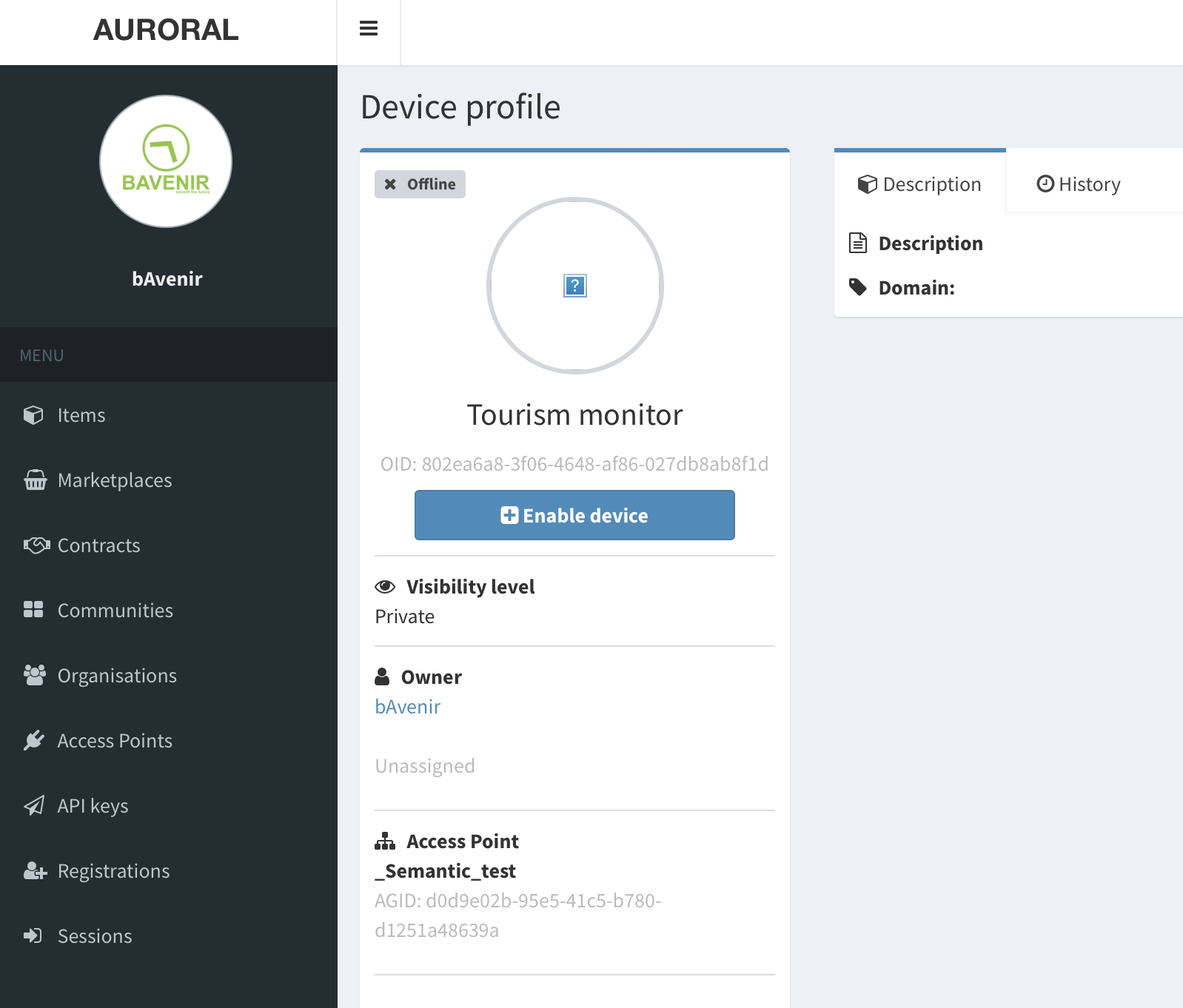
And after claiming the item, you will see information about the user that claimed it, and also a new button for DISABLING and a dropdown to change the item's visibility.
Thing Description
In this GitHub repository you can find information about creating Thing Descriptions and also some examples for devices and services.
Below you can see a basic example describing a LightBulb.
On the top side, under the key @context, the used ontologies are referenced.
 {
  "@context": [
    "https://www.w3.org/2019/wot/td/v1",
    {
     "adp": "https://auroral.iot.linkeddata.es/def/adapters#",
     "om": "http://www.ontology-of-units-of-measure.org/resource/om-2/",
     "geo": "http://www.w3.org/2003/01/geo/wgs84_pos#"
    }
  ],
  "security": [
    "nosec_sc"
  ],
  "securityDefinitions": {
    "nosec_sc": {
      "scheme": "nosec"
    }
  },
  "geo:location": {
        "geo:lat": "48.1516",
        "geo:long": "17.1674"
  },
  "title": "MyRoomTemperature",
  "adapterId": "thermometer-Id-In-My-Infrastructure",
  "@type": "adp:Thermometer",
  "description": "Room temperature sensor",
  "properties": {
    "room_temperature": {
      "title": "room_temperature",
      "description": "temperature in the room",
      "@type": "adp:AmbientTemperature",
      "unit": "om:degree_Celsius",
      "readOnly": true,
      "type": "number",
      "forms": [
        {
          "op": "readproperty",
          "href": "www.mydata.example.com/api/object/1234/property/room_temperature"
        }
      ]
    }
  }
}
For the full Thing Description specification please see here
Modeling data
Besides registering an item with context information, also the data exchanged in AURORAL should be in RDF format and follow a valid ontology.
Mapping
Exchanging data in RDF means that the data returned by the HREF endpoints defined in the item Thing Description should return values mapped using a valid ontology. Exceptions might apply for some types of data that are already properly defined in the Thing Descriptions: I.e. videos, images, datasets...
A list of the AURORAL ontologies can be found here, this ontologies are being updated and other popular ontologies might be added or extended later on.
An example of RDF data exchanged in AURORAL or mapping can be seen below. Once more, in the @context you can see the ontologies used.
{
  "@context": [
    "https://auroralh2020.github.io/auroral-ontology-contexts/adapters/context.json",
    {
     "rdfs": "http://www.w3.org/2000/01/rdf-schema#"
    },
    {
      "iid": { "@id": "rdfs:label" }
    }
  ],
  "oid": "1234",
  "iid": "mytemperature",
  "@type": "adp:Thermometer",
  "measurement": [
    {
      "value": 123,
      "type": "number",
      "timestamp": "2022-06-17T08:26:22Z",
      "property": "AmbientTemperature",
      "isMeasuredIn": "degreeCelsius"
    }
  ]
}
To validate a RDF payload you might use the following playground.
Interacting with items
In AURORAL, all interaction with items is done through the node. The AURORAL OpenAPI provides the interfaces to request measurements from different items (own or remote) and to discover their context data.
AgentUI
Starting with Auroral Node v3.5, you have access to a new user interface (UI) application called AgentUI. It offers a more user-friendly and efficient way to interact with the Auroral platform. To learn more please refer to AgentUI section.
Discovery
The discovery process in the Auroral platform is when the Node scans the platform to find information about your infrastructure. The information you may discover consist of:
- INFO about NODES in your organisation
- INFO about NODES in foreign organisation
- META-DATA of ITEMS in your organisation
- META-DATA of ITEMS in foreign organisation
Foreign organisation data
To be able to see the information about the foreign organisation, your company needs to have a relationsip with the foreign organisation. For more information about the relationships please refer to Relationships section.
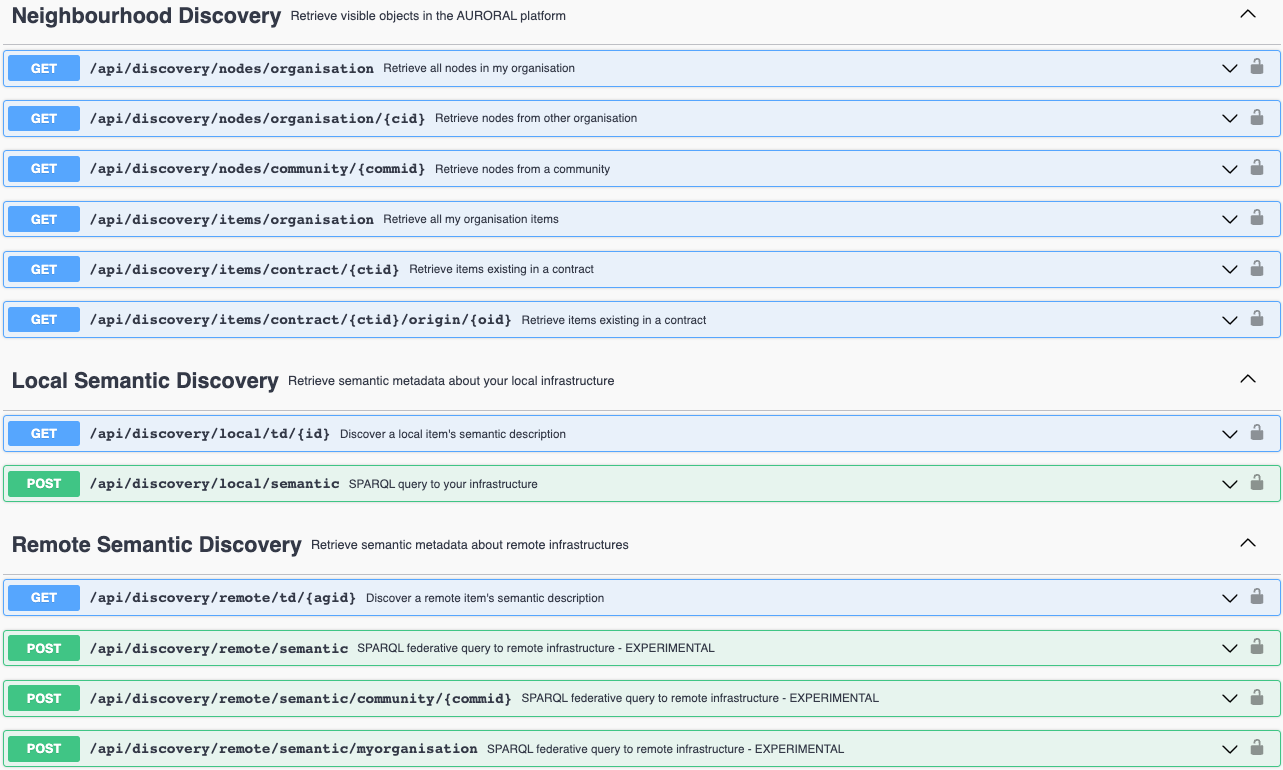
Below we can see all available options for discovering data:
Consumption
In AURORAL there are two patterns for getting data, push and pull, and it is under scope also to support asynchronous data access. In a nutshell, there are 2+1 ways to share/retrieve data:
- PROPERTIES: Pull pattern or request reading/updating a property
- EVENTS: Push pattern or push an event to all your subscribers
- ACTIONS (Under development): Asynchronous, for accessing resources that need to be prepared or take long to provision. I.e. requesting to switch on an oven or download a large data set. The actions generate an action ID that can be used to pull the status of our request.
Interaction patterns
The data consumption options are related with the interaction patterns of W3C Thing Description
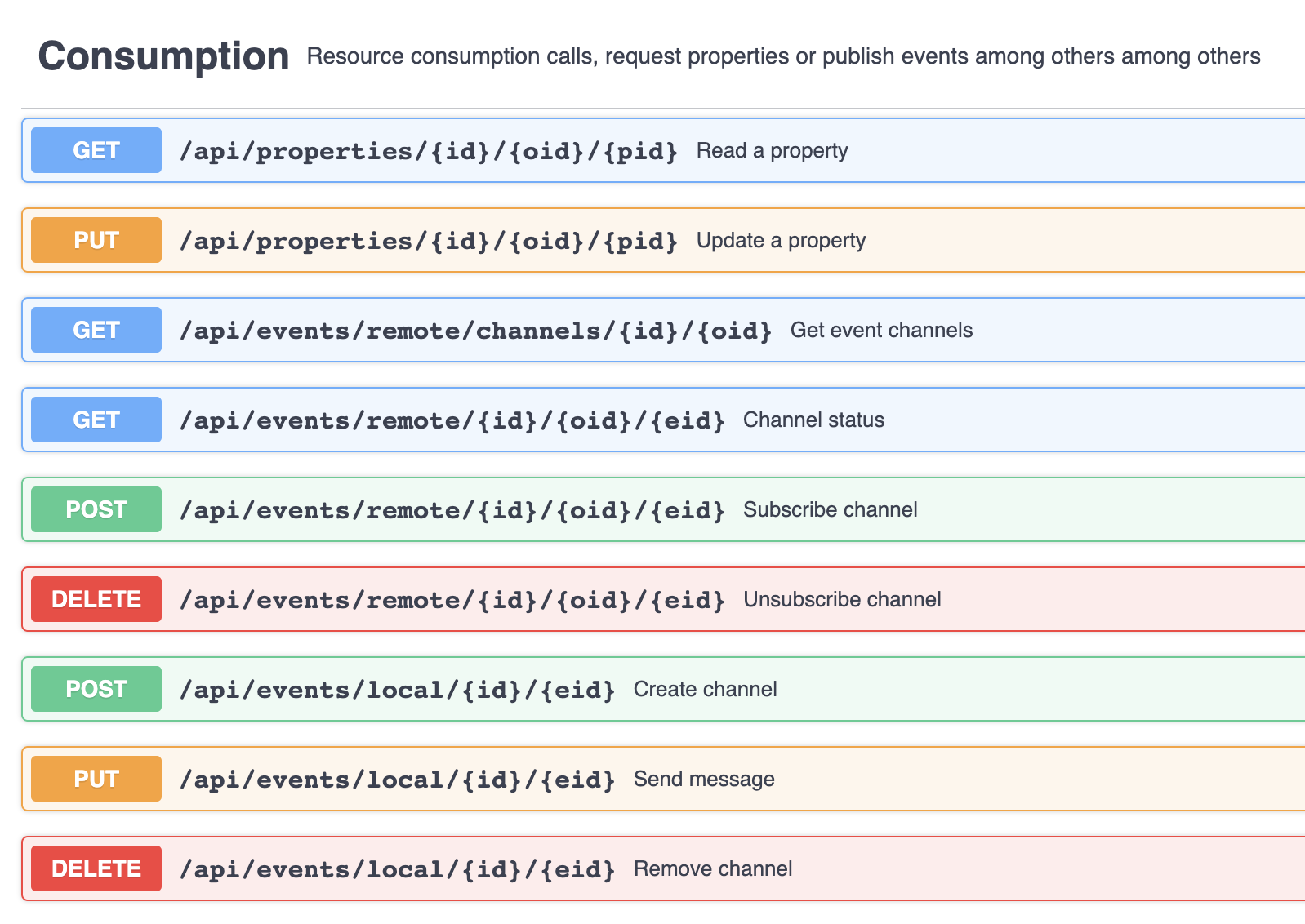
Below we can see all available options for consuming data:
How to?
AgentUI
Starting with Auroral Node v3.5, you have access to a new user interface (UI) application called AgentUI. It offers a more user-friendly and efficient way to interact with the Auroral platform. To learn more please refer to AgentUI section.
Prerequisites
- Auroral Node installed and running. Learn how?
- Basic knowledge of SwaggerUI. Learn about SwaggerUI?
Here you will find an tutorials on how to use the API provided by the Node to discover your infrastructure and how to consume data from items in your infrastructure.
First step is to access OpenAPI interface of your Node using SwaggerUI. To do so please navigate to url where your Node is running e.g. http://localhost:81
Discover INFO about NODES in your organisation
To discover an information about the nodes in your organisation, please use the /api/discovery/nodes/organisation endpoint:
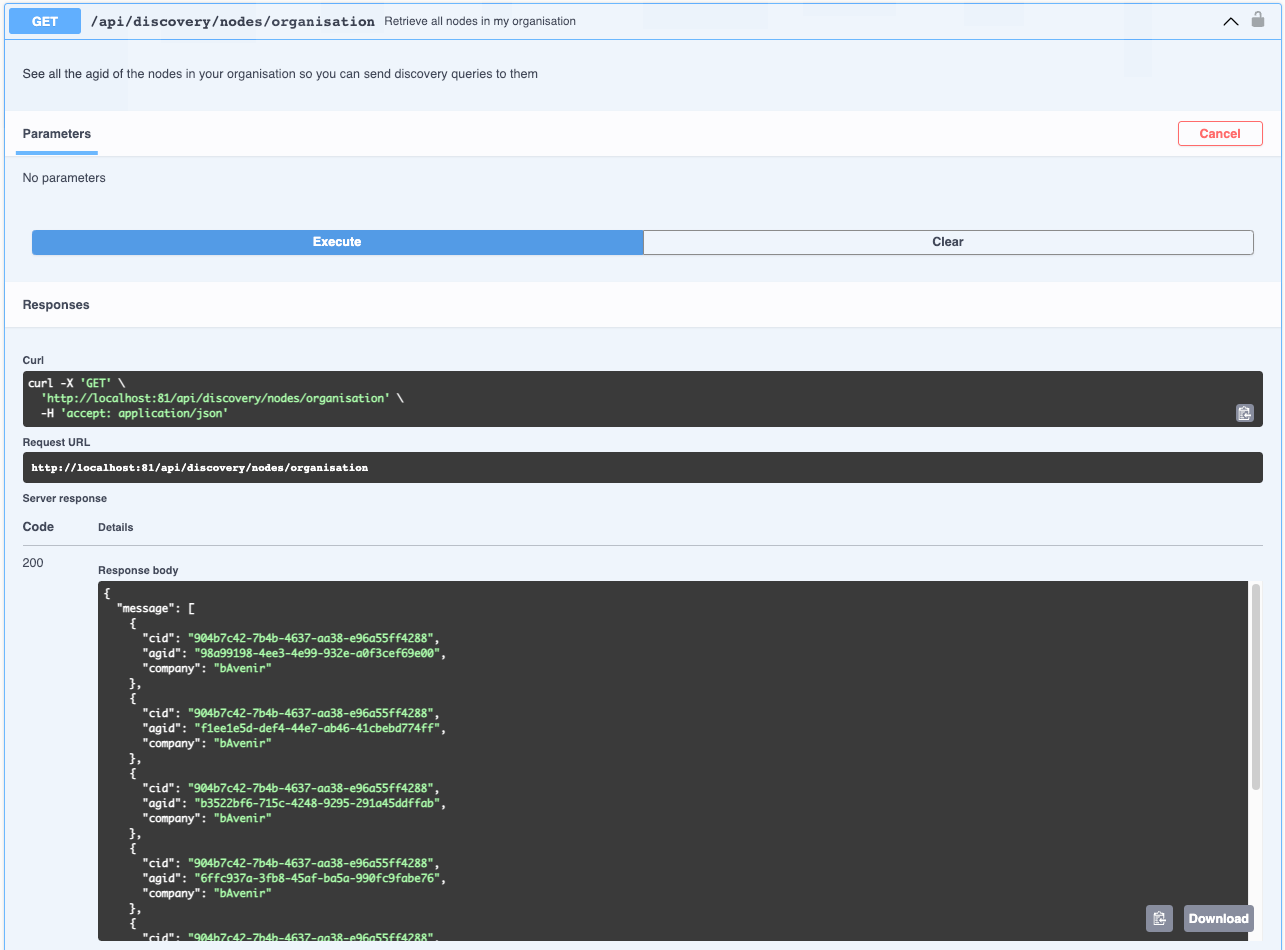
Response:
| Parameter | Description |
|---|---|
cid |
Unique identifier of your company |
agid |
Unique identifier of the node |
company |
Name of your company |
Discover INFO about NODES in foreign organisation
Prerequisites
- Partnership with the organisation. Learn how?
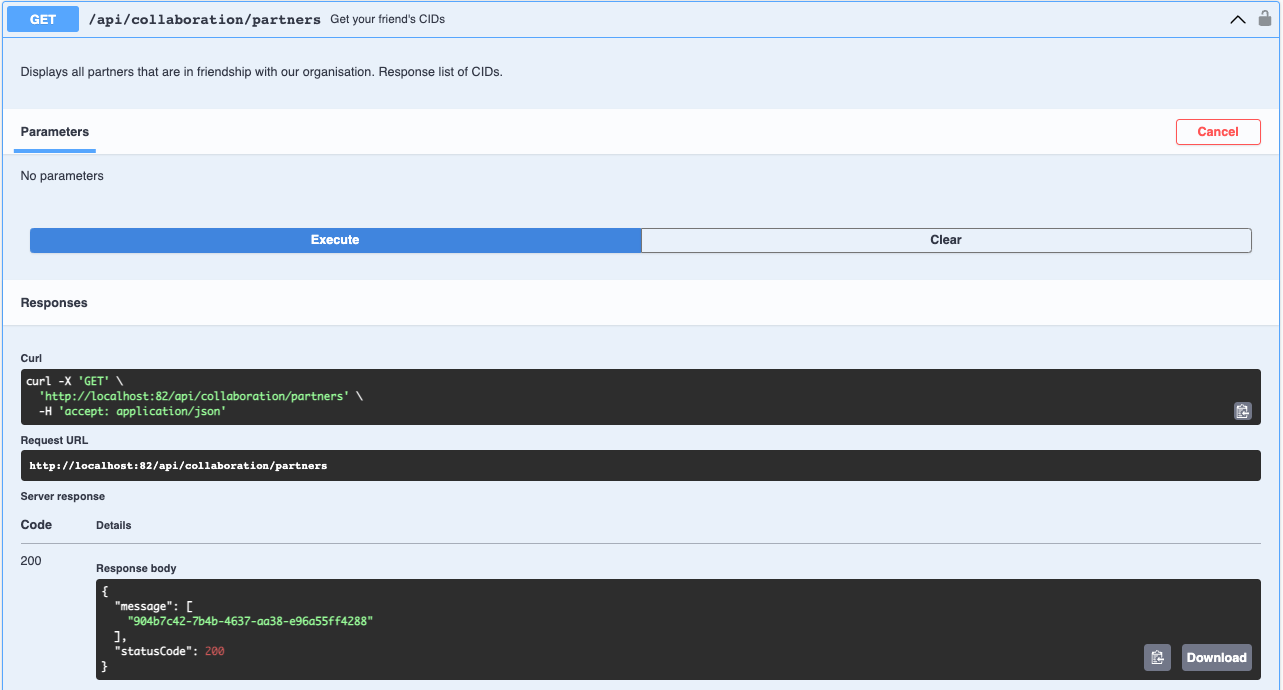
First you will have to know the cid, a unique identifier, of your partner. To find this please use the /api/collaboration/partners endpoint:
Now to discover an information about the nodes in the partner's organisation, please use the /api/collaboration/partners/{cid} endpoint and provide the cid from the previous step:
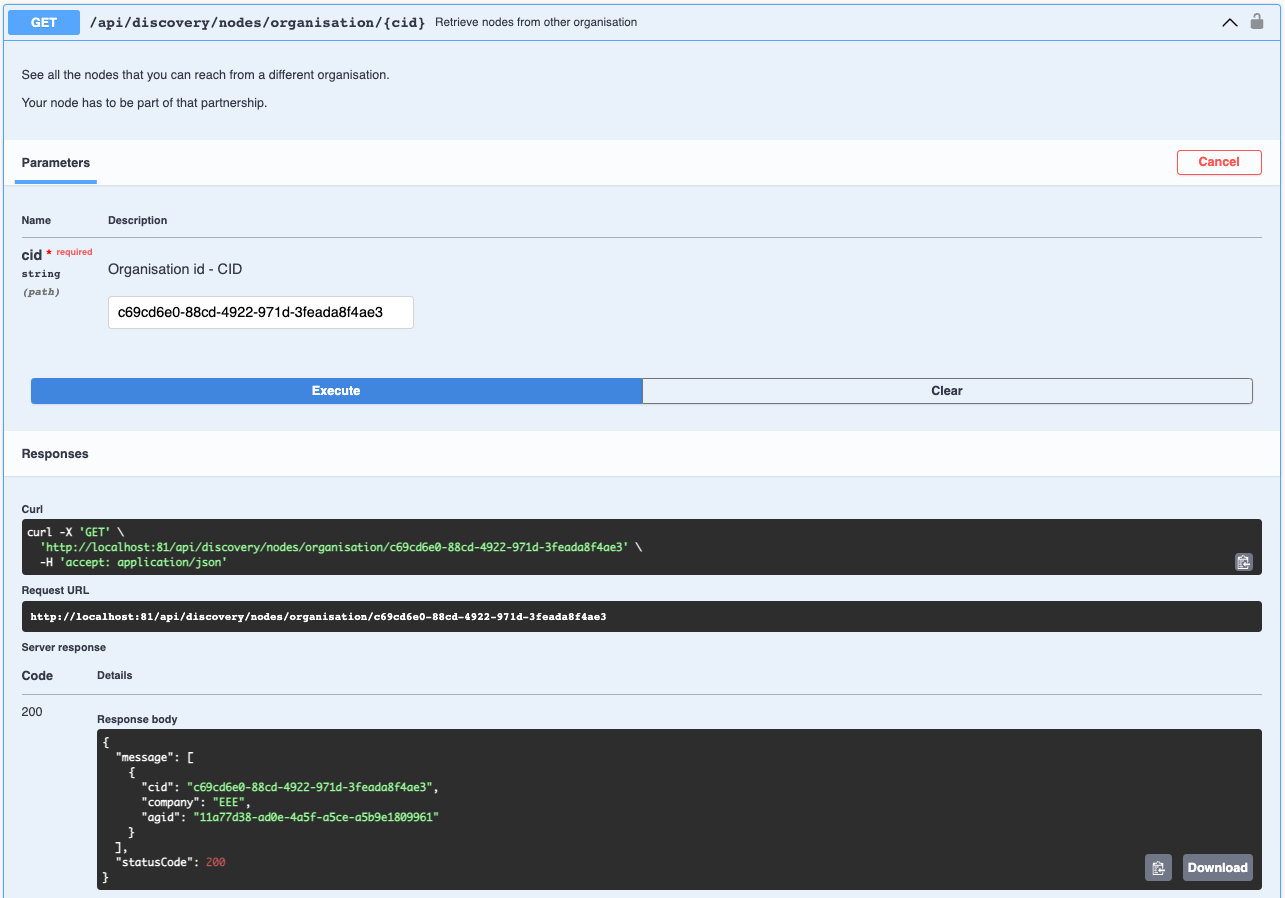
Response:
| Parameter | Description |
|---|---|
cid |
Unique identifier of company owning the node |
company |
Name of company owning the node |
agid |
Unique identifier of the node |
Discover META-DATA of ITEMS in your organisation
Prerequisites
- Basic knowledge of Thing Description. Learn about Thing Description?
- Basic knowledge of SPARQL. Learn about SPARQL?
To discover an information about the items in your organisation, please use the /api/discovery/local/semantic endpoint and provide following SPARQL query example:
PREFIX td: <https://www.w3.org/2019/wot/td#>
SELECT distinct ?oid ?name ?adapterId ?type WHERE {
  ?td td:title ?name .
  ?td td:adapterId ?adapterId .
  OPTIONAL { ?td td:type ?type . }
  BIND ( replace(str(?td), 'https://oeg.fi.upm.es/wothive/', '', 'i') as ?oid)
}
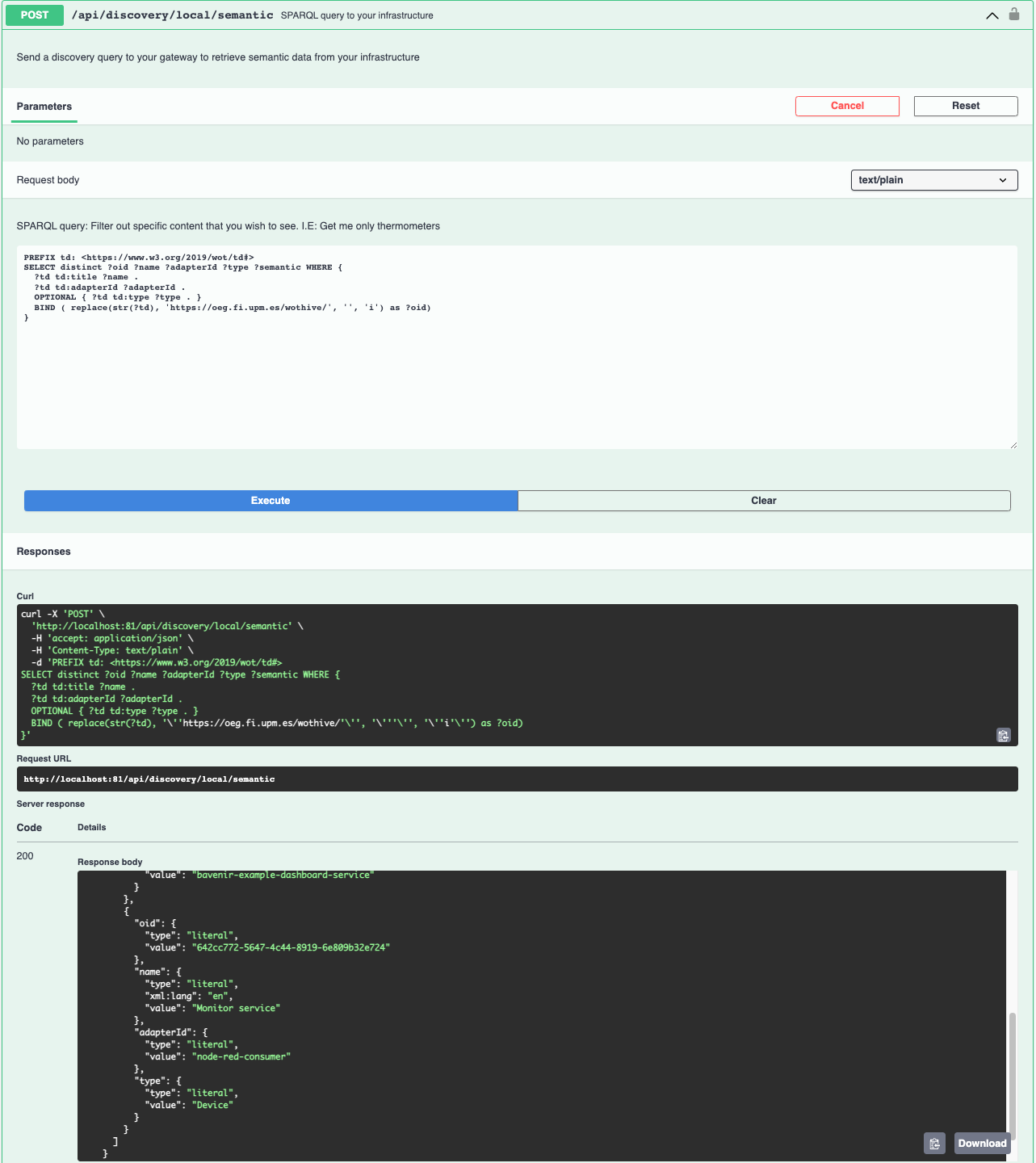
Response:
| Parameter | Description |
|---|---|
oid |
Unique identifier of the item |
name |
Name of the item |
adapterId |
Unique identifier of the adapter |
type |
Type of the item |
Discover META-DATA of ITEMS in foreign organisation
Prerequisites
- Partnership with the organisation. Learn how?
- Basic knowledge of Thing Description. Learn about Thing Description?
- Basic knowledge of SPARQL. Learn about SPARQL?
First you will have to know the cid, a unique identifier, of your partner. To find this please use the /api/collaboration/partners endpoint:
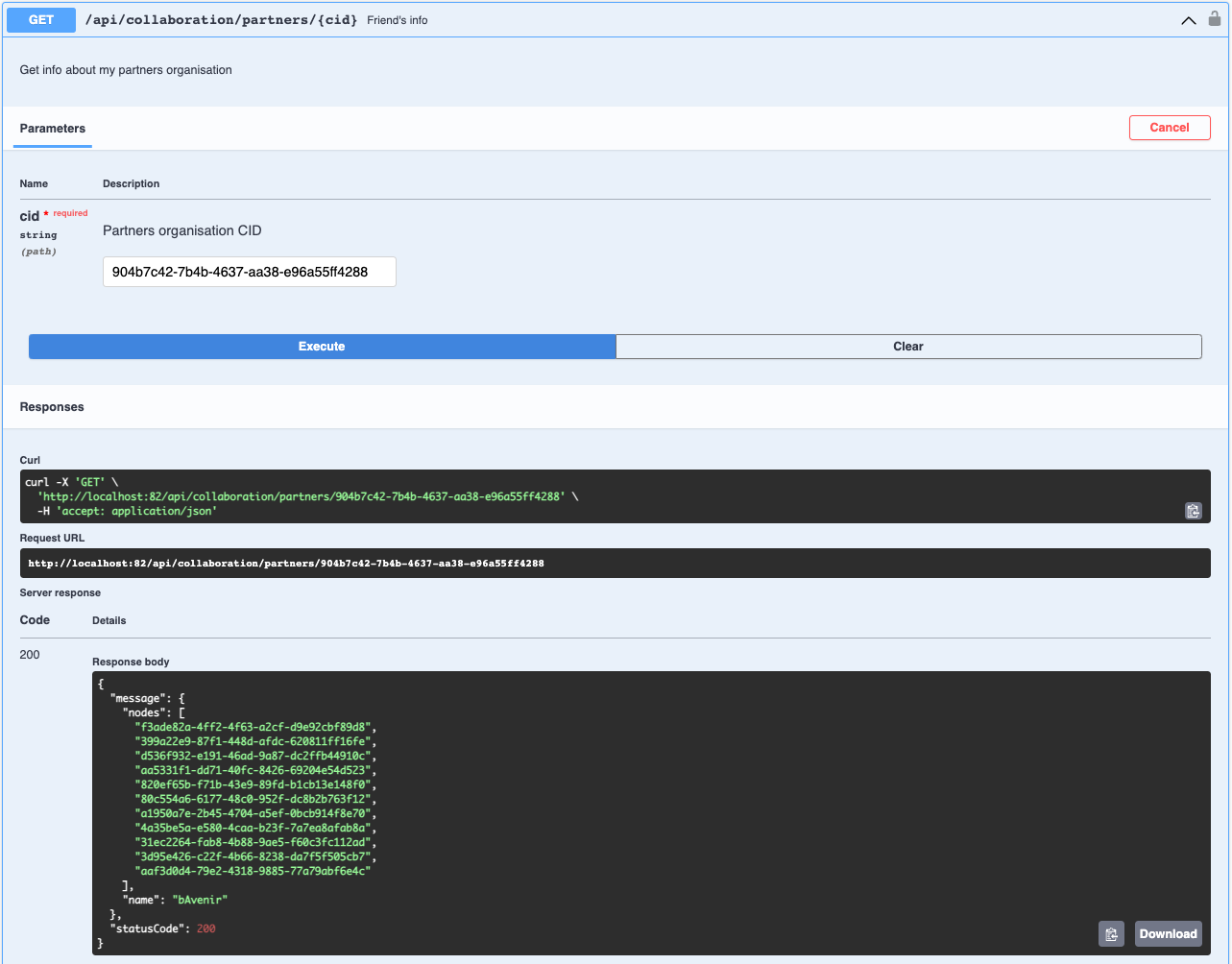
Next step is to know the agid's, a unique identifiers, of the partner's nodes. To find this please use the /api/collaboration/partners/{cid} endpoint and provide the cid from the previous step:
Now to discover an information about the items in the partner's organisation, please copy the arbitrary number of nodes and use the /api/discovery/remote/semantic endpoint and provide agid's and following SPARQL query example:
PREFIX td: <https://www.w3.org/2019/wot/td#>
SELECT distinct ?oid ?name ?adapterId ?type WHERE {
  ?td td:title ?name .
  ?td td:adapterId ?adapterId .
  OPTIONAL { ?td td:type ?type . }
  BIND ( replace(str(?td), 'https://oeg.fi.upm.es/wothive/', '', 'i') as ?oid)
}
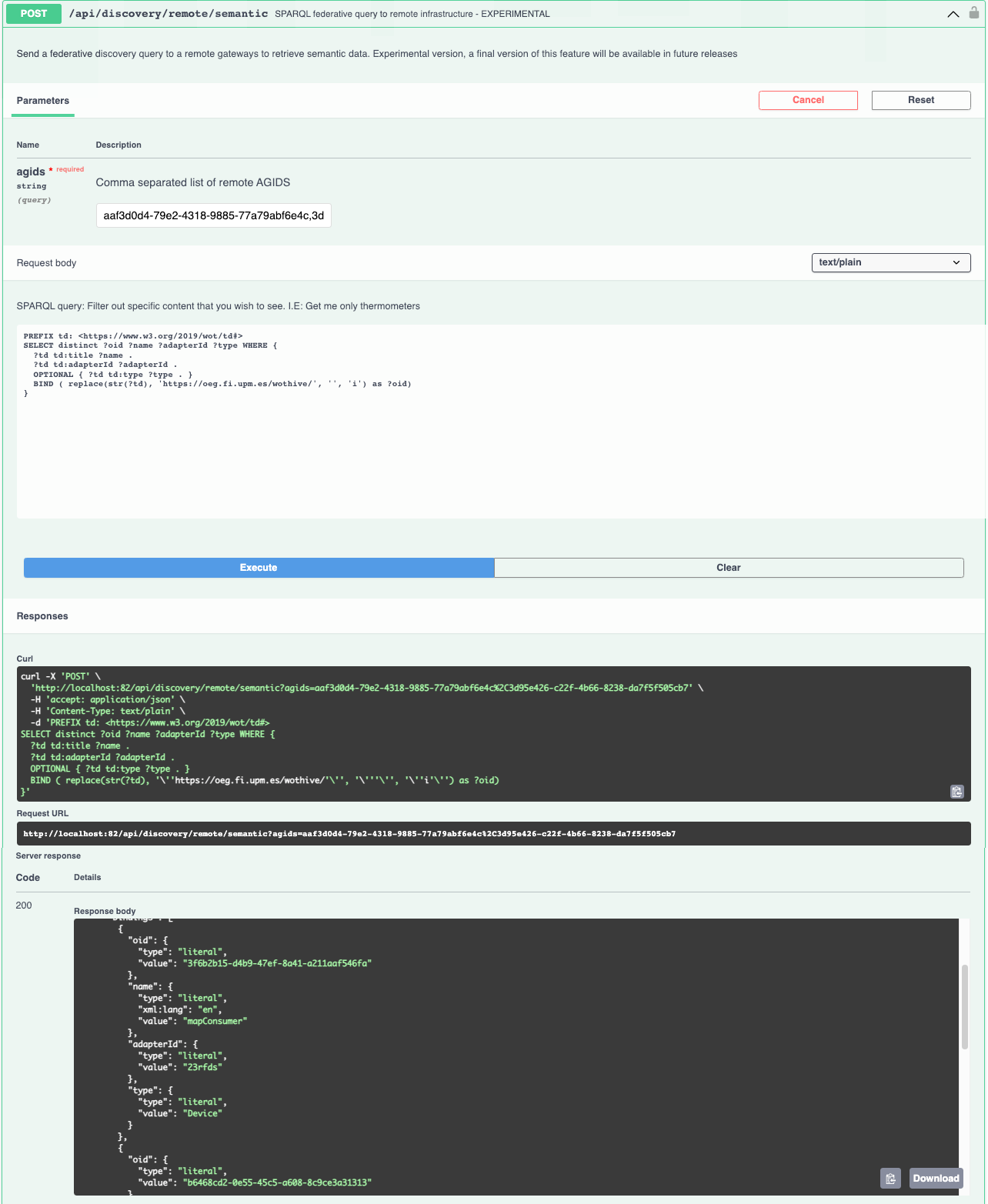
Response:
| Parameter | Description |
|---|---|
oid |
Unique identifier of the item |
name |
Name of the item |
adapterId |
Unique identifier of the adapter |
type |
Type of the item |
Consume DATA from item using PROPERTIES
Prerequisites
- Contract with the organisation. Learn how?
- Item included in a contract. Learn how?
- Basic knowledge of Thing Description. Learn about Thing Description?
First you will have to know the cid, a unique identifier, of the partner you have contract with. To find this please use the /api/collaboration/partners endpoint:
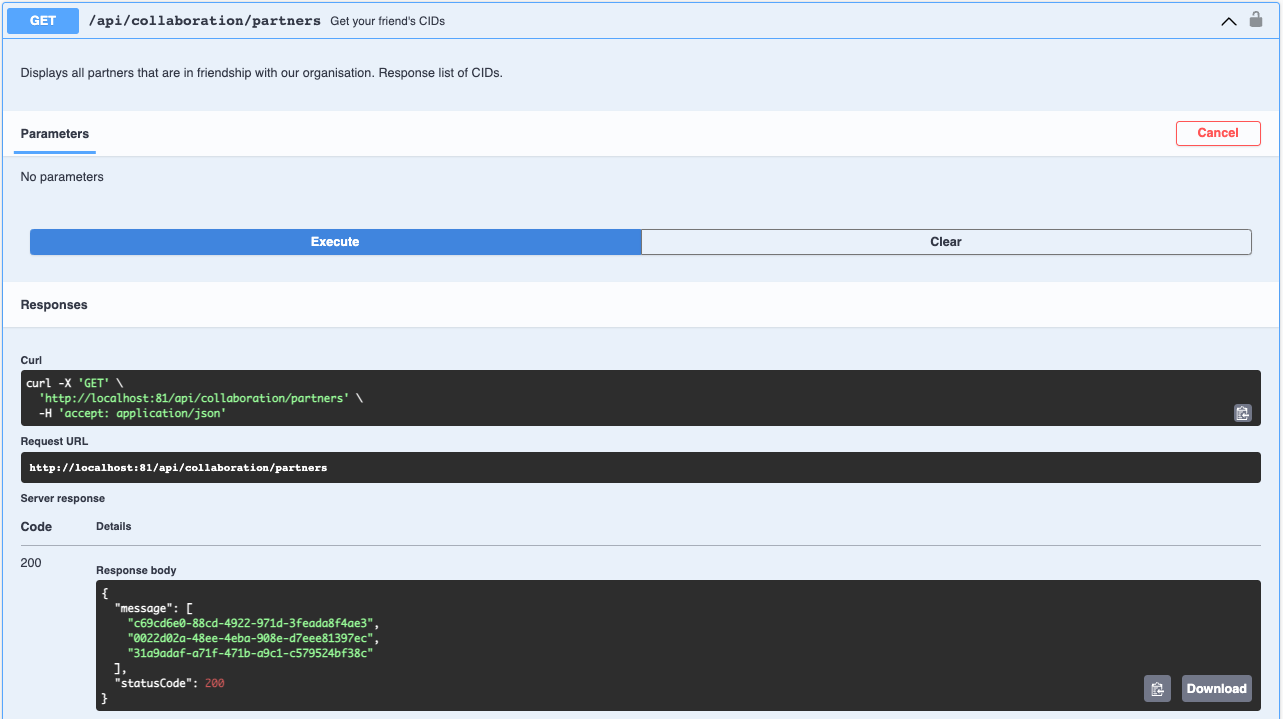
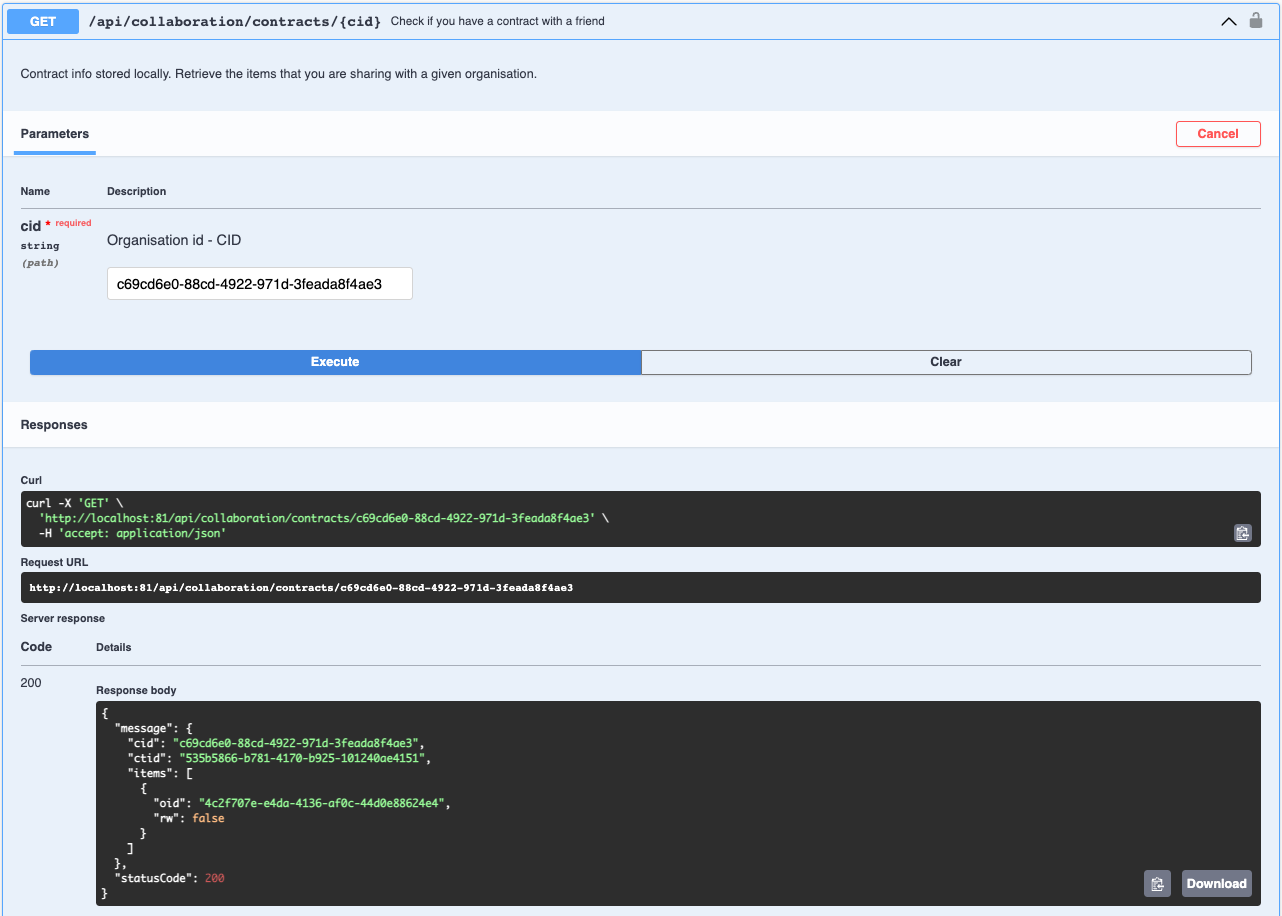
Now you will need a ctid, a unique identifier, of contract and oid, a unique identifier, of your item in a contract. To find this please use the /api/collaboration/contracts/{cid} endpoint and provide the cid from the previous step:
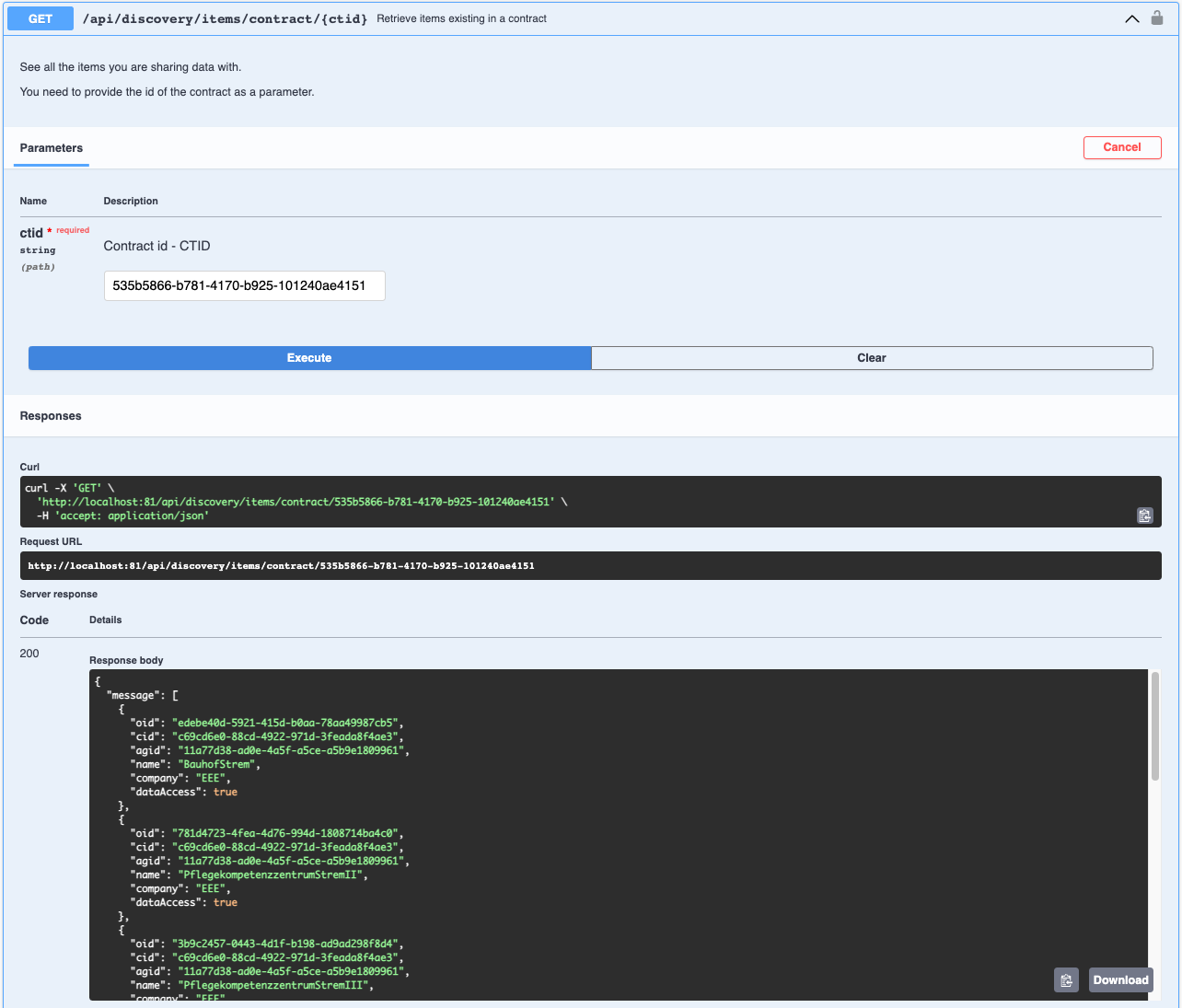
Now to discover an information about foreign items in the contract, please use the /api/collaboration/contracts/{ctid} endpoint and provide the ctid from the previous step:
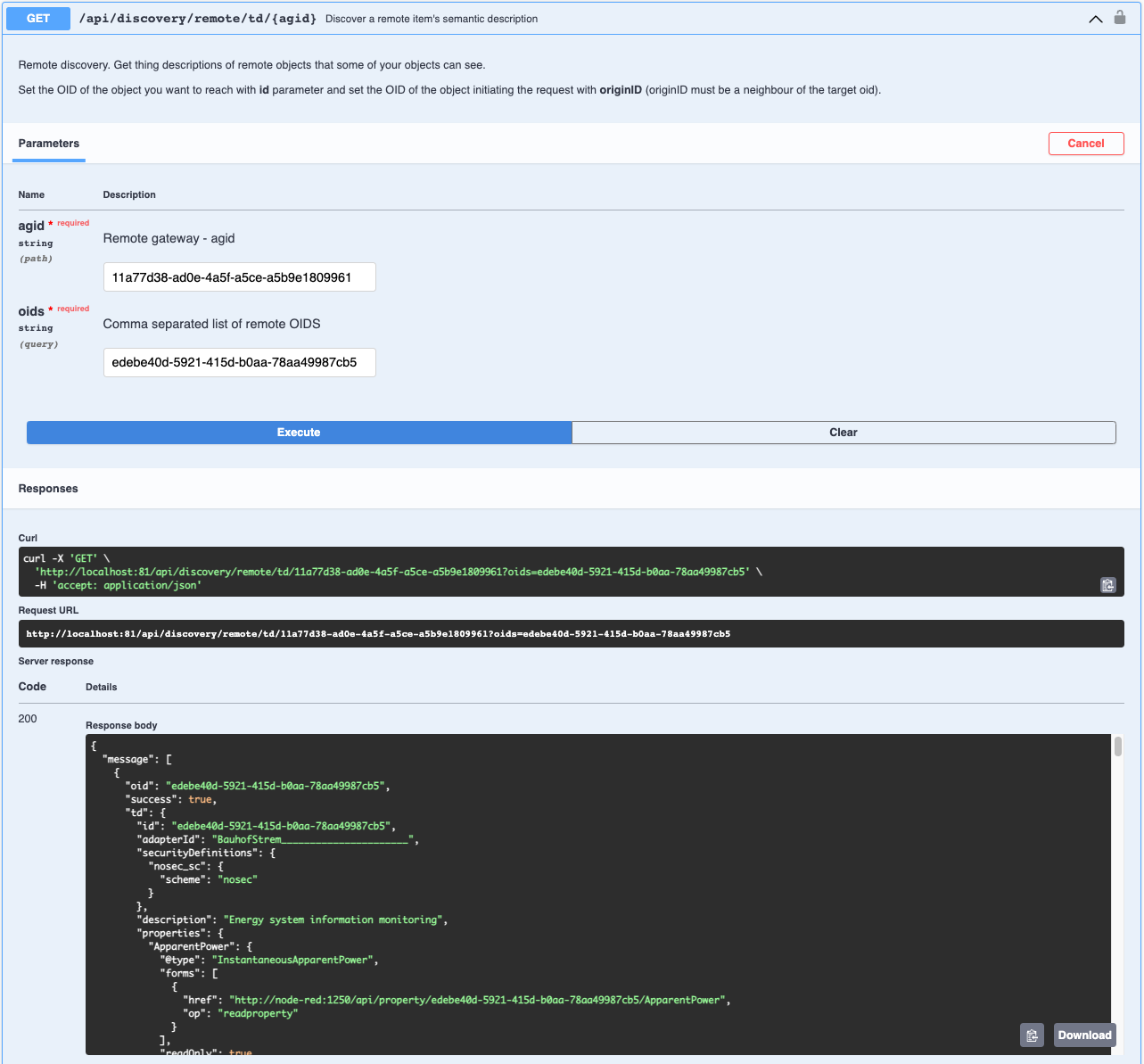
Now to see the properties of the item, you will need to get the Thing Description of the item. To do so please use the /api/discovery/remote/td/{agid} endpoint and provide oid of the item and agid of the node under which the remote item is registered. Both can be obteined in the previous step:
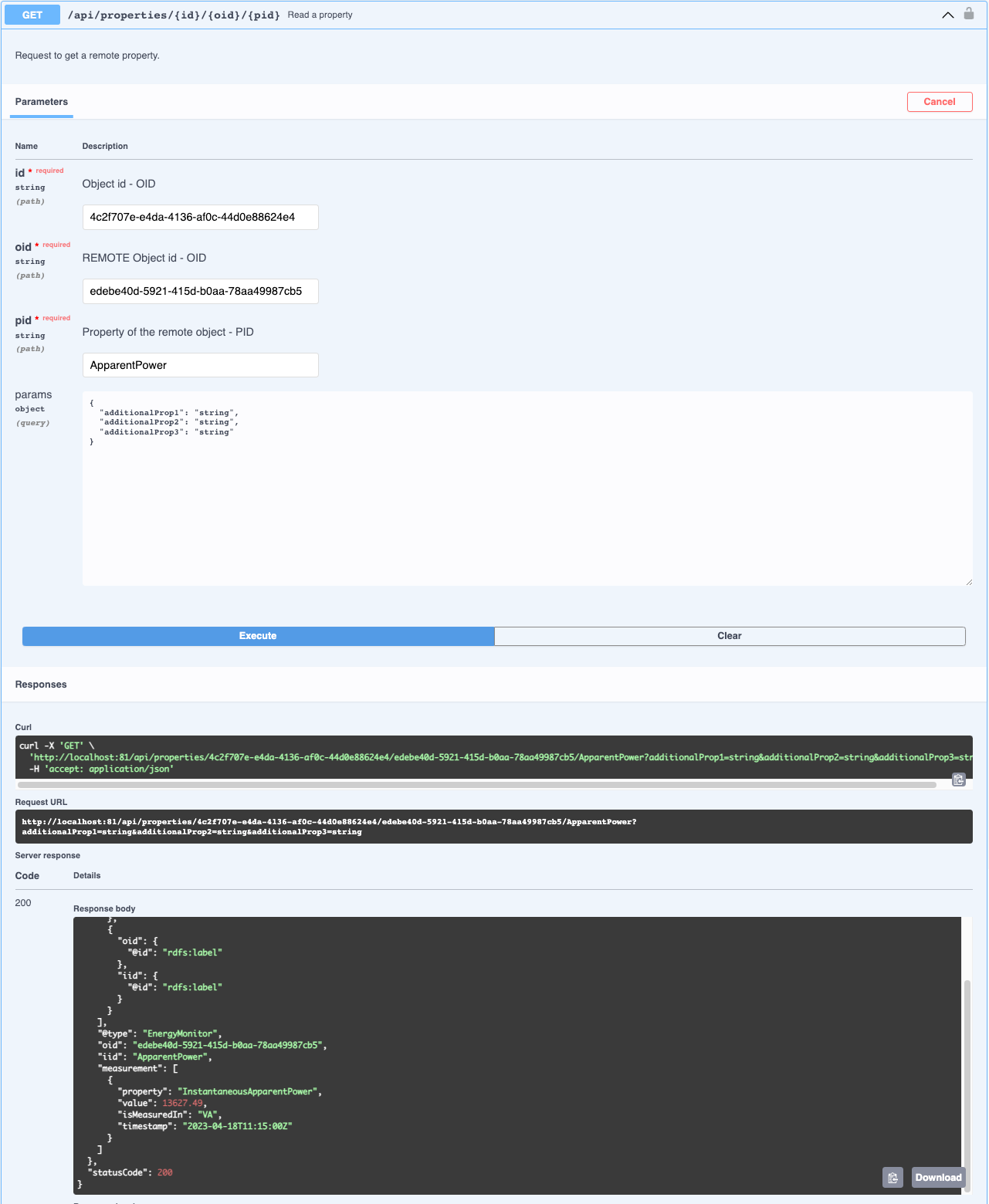
Now to consume a data from the item. You will need to select one of the properties from TD in previous step and use the /api/properties/{id}/{oid}/{pid} endpoint and provide id, which is oid of your item from the second step, the oid of remote item and pid which is the name of the property: