Users
A User for AURORAL refers to every person accessing the Neighbourhood Manager user interface with a different identity. User interacts with the Platform based on a roles that has been assigned to him or her by an administrator. Roles help define what actions the user is allowed to perform within the Platform and how they interact with the Platform and its content. Each user can have zero or multiple roles assigned at the same time.
User roles
Below is the list of all avaliable roles that can be assigned to a user together with a description of what he can do:
User (default)
Represents user with zero roles. Can browse the Neighbourhood Manager, but can not make any changes to organisation and can not manage infrastructure. What any user can do is to suggest any item visible to the user to by added to the existing contract.
User can:
- browse the Neighbourhood Manager
Administrator
This role has the most privileges when it comes to managing the organization. For instance, can assign new roles to other users, delete, and invite users or even delete the whole organization. It can also send the invitation for the new organisation to join AURORAL.
Administrator can:
inviteordeleteusersaddorremoveuser roleseditordeleteorganisationinvitenew organisation
Infrastructure Operator
The goal of an Infrastructure Operator is to configure the organization's data-sharing rules. User with this role is responsible for creating and maintaining relationships between the organisations. For that reason it is the only role that can create or delete contracts, partnersips and communities. It is also the only role that can add organisation node to partnership and community replationship with other organisations.
Infrastructure Operator can:
createordeletecommunitiescreateordeletepartnershipscreateordeletecontractsaddorremovenodes from communitiesaddorremovenodes from partnershipsremoveany item from contract
How to add item to contract?
Infrastructure Operator can not add items to contract relationships. This privilege is reserved for Device Owner and Service Provider exclusively. What this role can do is to remove any item from contract. Even if it is not the owner of that specific item.
Service Provider
In order for service to be shared between the organisations, there must be a user acting as its owner. This means AURORAL needs Service Provider role responsible for setting the visibility level of the service and decide whether the service should be part of a contract or not. To claim or release the ownership, user with this role needs to enable or disable the service.
Service Provider can:
enableordisableservice sharing- a.k.a.
claimorreleaseservice ownership
- a.k.a.
changevisibility level of serviceaddorremoveservice owned by the user from contracts
Device Owner
In order for device to be shared between the organisations, there must be a user acting as its owner. This means AURORAL needs Device Owner role responsible for setting the visibility level of the device and decide whether the device should be part of a contract or not. To claim or release the ownership, user with this role needs to enable or disable the device.
Device Owner can:
enableordisabledevice sharing- a.k.a.
claimorreleasedevice ownership
- a.k.a.
changevisibility level of deviceaddorremovedevice owned by the user from contracts
System Integrator
Role of System Integrator is to install Auroral nodes in organisation's infrastructure. This role is allowed to create or delete Access Points, which are virtual representations of the nodes, and are used by the node to communicate with the Platform.
Access Point
Is virual representation of Auroral Node that can be generated in Neighbourhood Manager. Each Node has to have exactly one Access Point assigned to it in order to communicate with the platform. For more information about the Auroral Node's please refer to Auroral Node section.
System Integrator can:
addorremoveAccess Points
How to?
Here you will find an tutorials on how to manage users in your organisation. First step is to login to your organisation account in Neighbourhood Manager here.
Administrator role required
Only users with administrator role are allowed to manage users in your organisation.
Create new user
To add new user to your organisation you will have to:
- press
addbutton located in a top right corner of the website - select
invite new useroption from the drop down menu: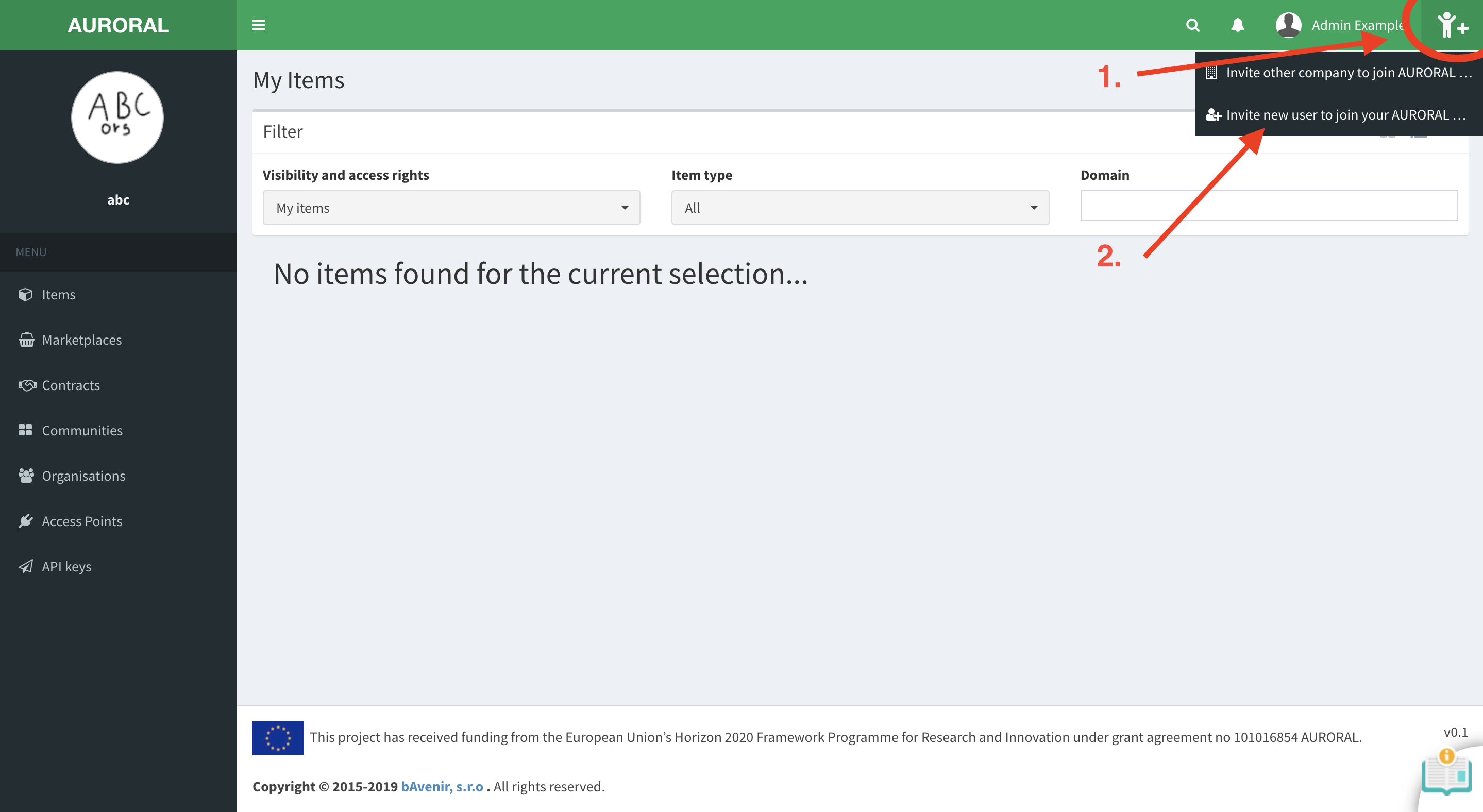
Here you will have to fill out name of the new user and email where to send a invitation. You can also predefine default roles you want a new user to have: 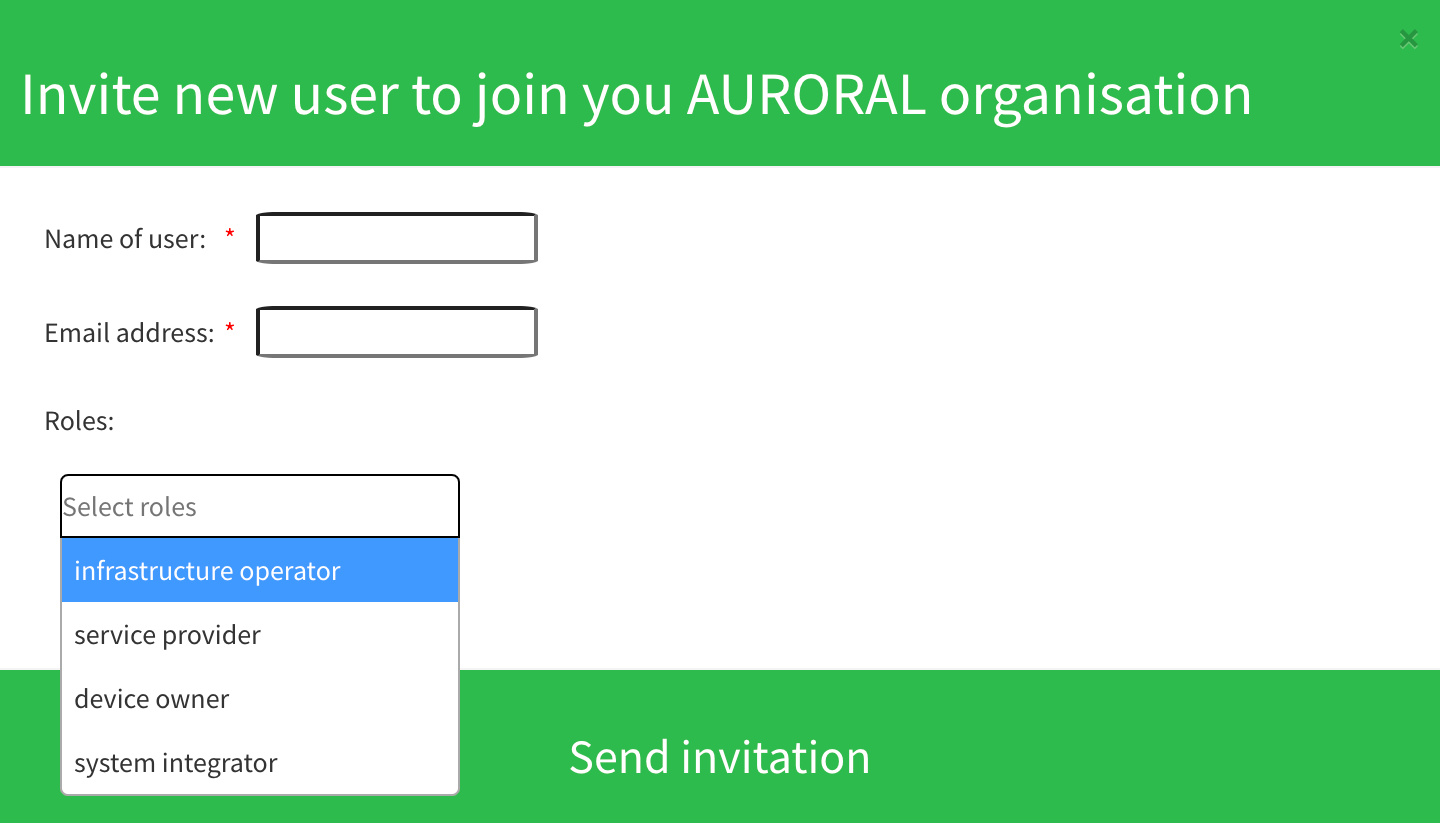
Changing roles
You can define default roles for a new user in this step, or you can always change them later when user has been added to the organisation.
After you press send, email with link to registration form should be delivered to email address of the new user. Bellow is an example how this form looks like.
Example: User registration form
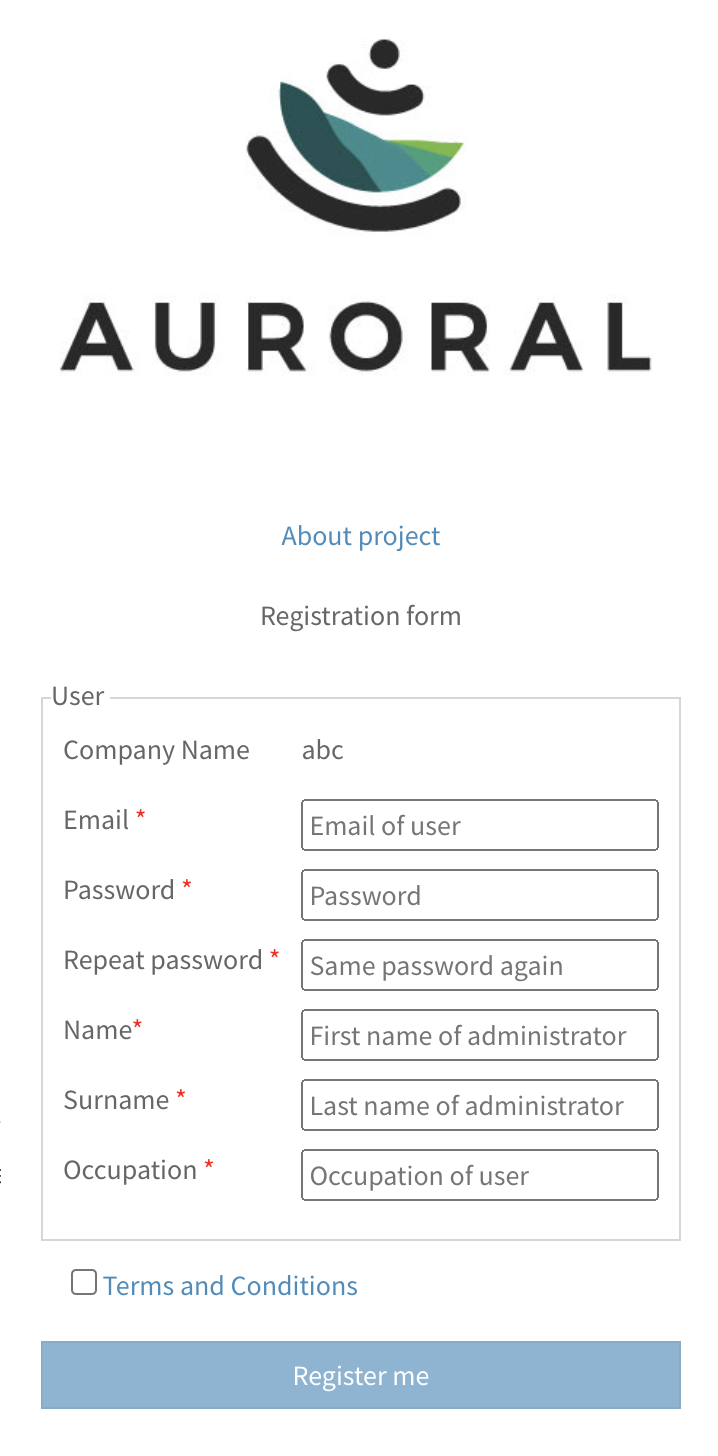
This is an example of registration form sent to a new user.
Change user roles
To change roles assigned to a users in your organisation, you will have to open organisation page by clicking on your organisation logo in top left corner of the website: 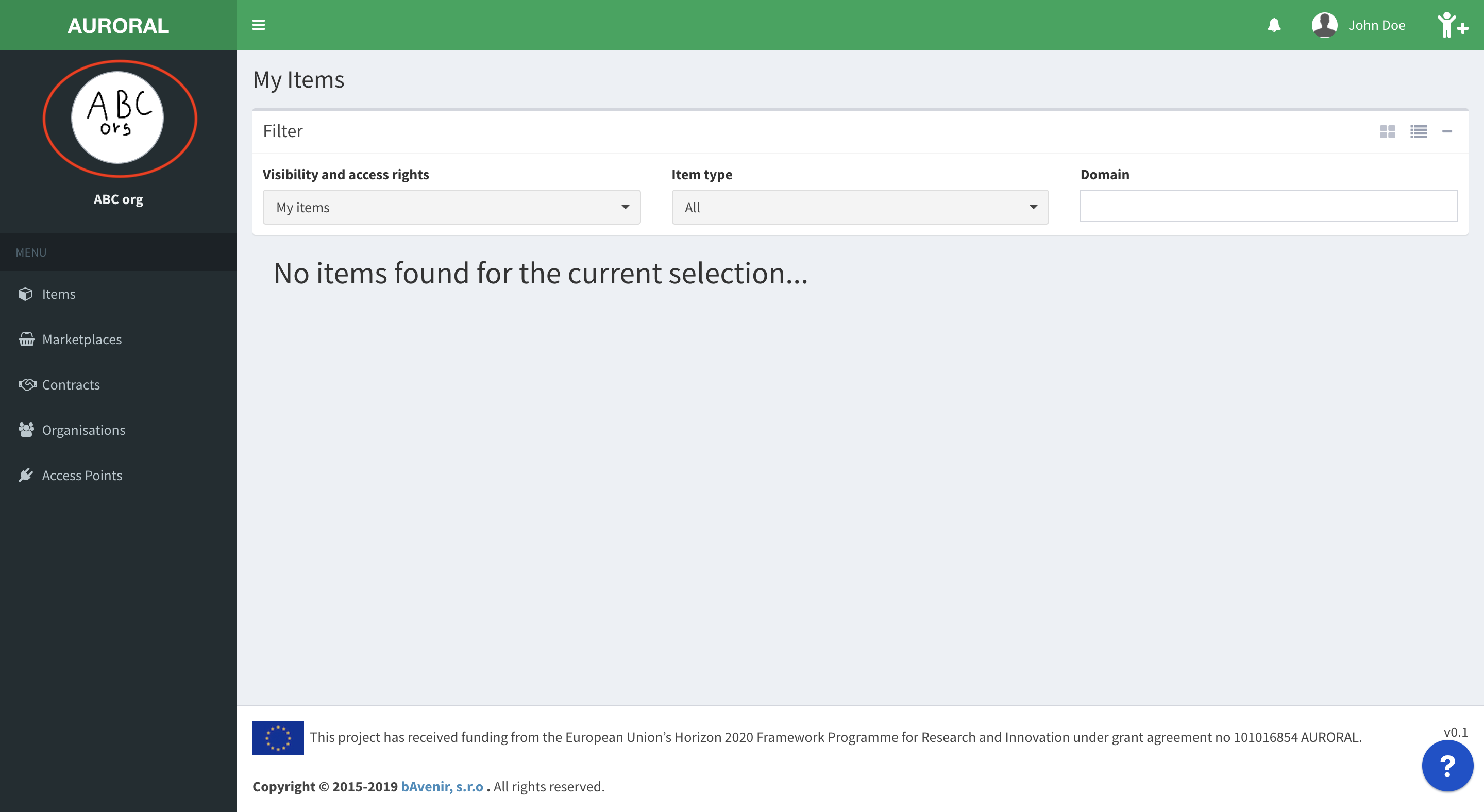
Once you access the organisation page:
- open
Role managementtab selecta user you want to change and pressChange rolesbutton: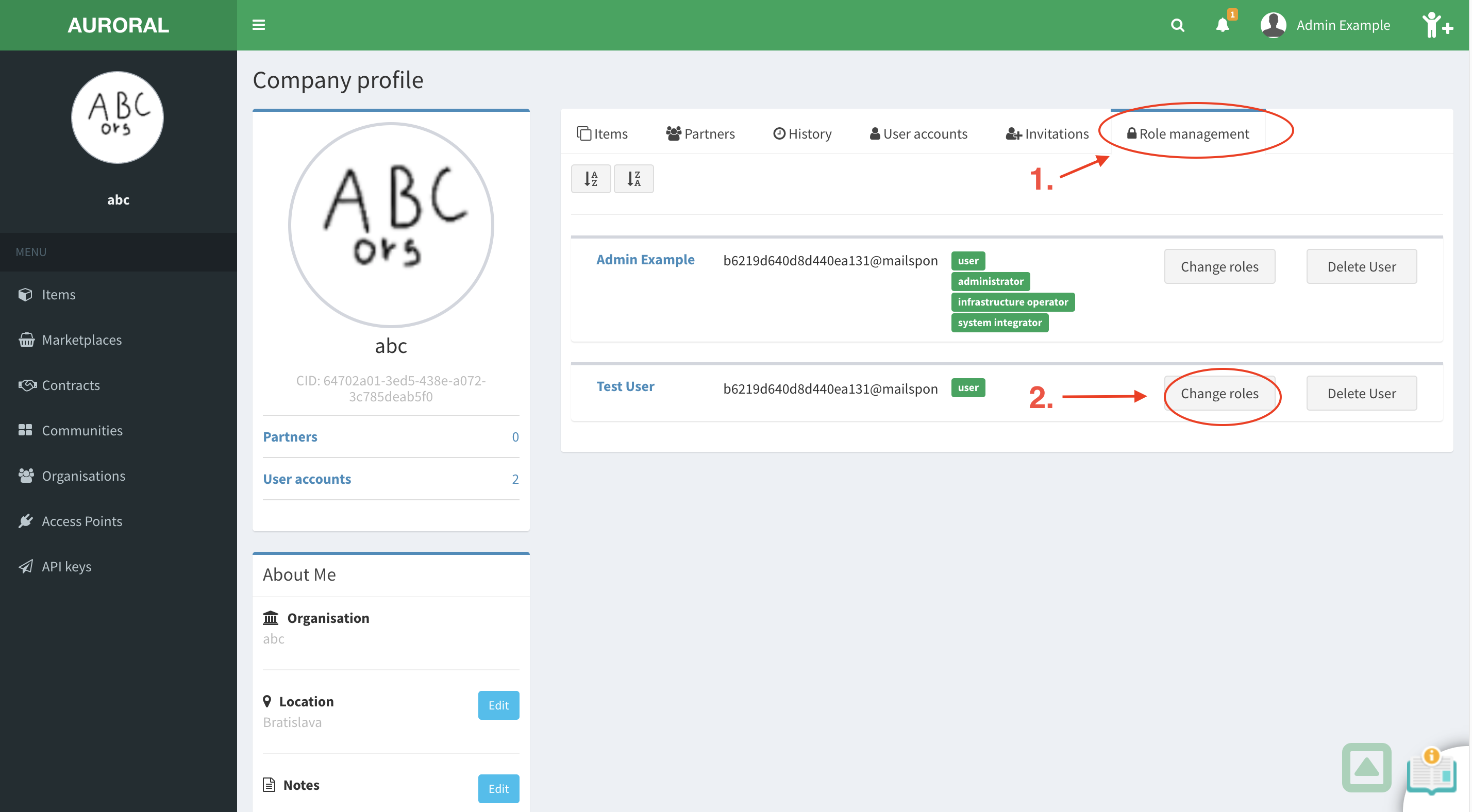
Do not see role management tab?
When Role managenemt tab is not visible, probably you do not have an administrator access. Only organisation administrators can change user roles. To fix this, please login as administrator or ask company administrator to update your privileges.
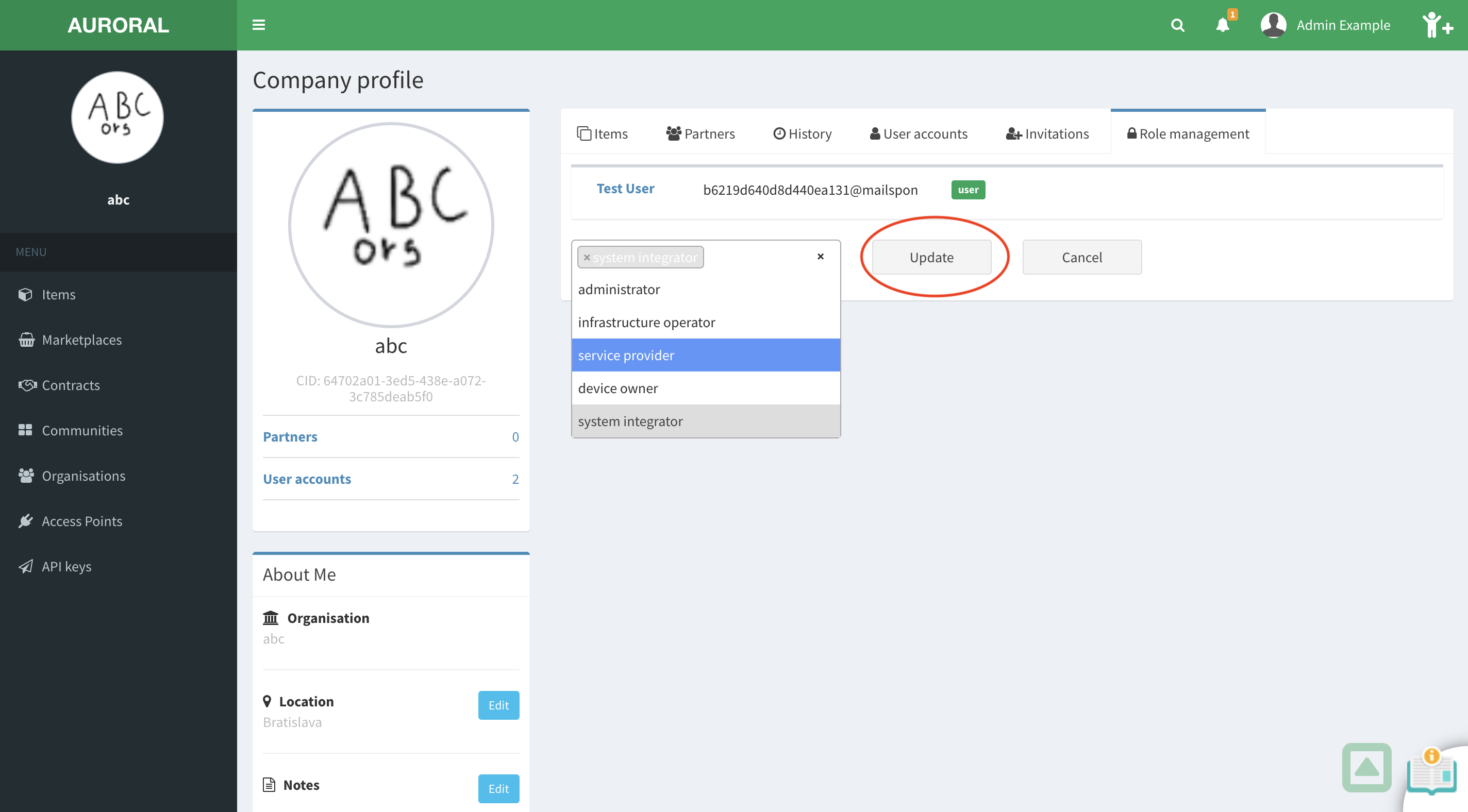
Now detail page will open where you will have to select a all roles you wat to assign to the user. After you are done, press Update button to apply changes: