Organisations
Organization can be thought of as an umbrella that groups together a set of users. This structure provides a way to manage and categorize users within the platform. The organization structure can help to define the relationships between users, as well as to enforce certain rules, policies, and permissions.
Overall, the organizational structure provides a convenient and effective way to manage large groups of users and to maintain control over the flow of information and resources within the platform.
There is no user without the organisation
In the AURORAL platform each user belongs to exactly one organization, there is no concept of a user existing outside of the organizational structure. In this system, the organization is considered the central and defining aspect of the user's identity, and all users must be associated with a specific organization.
Review process
All new organizations must go through a review process conducted by our colleagues. This process is designed to ensure that the organization meets certain standards and criteria, and are appliant with the AURORAL goals.
Cooperation with the AURORAL
To find out more about the companies that collaborate with the AURORAL please visit Auroral website.
Inviting organisation to join AURORAL
When an organization is invited to join the platform by other organisation, it can often be an advantage for the new organization in terms of the time spend on onboarding process. Since organisation sending the invitation has been already reviewed by our collegues, the review process can be skipped for the new organisation.
How to?
Here you will find an tutorials on how to setup your organisation account or invite other organisation to join the platform.
Create the organisation
To find out how to create the organisation account in AURORAL platform, please reffer to our Getting started section.
Send invitation
Administrator role required
Only users with administrator role are allowed to send invitations to other companies.
To send an invitation for other company to join AURORAL, first you will have to login to your organisation account in Neighbourhood Manager here and then:
- press
addbutton located in a top right corner of the website - select
invite other companyoption from the drop down menu: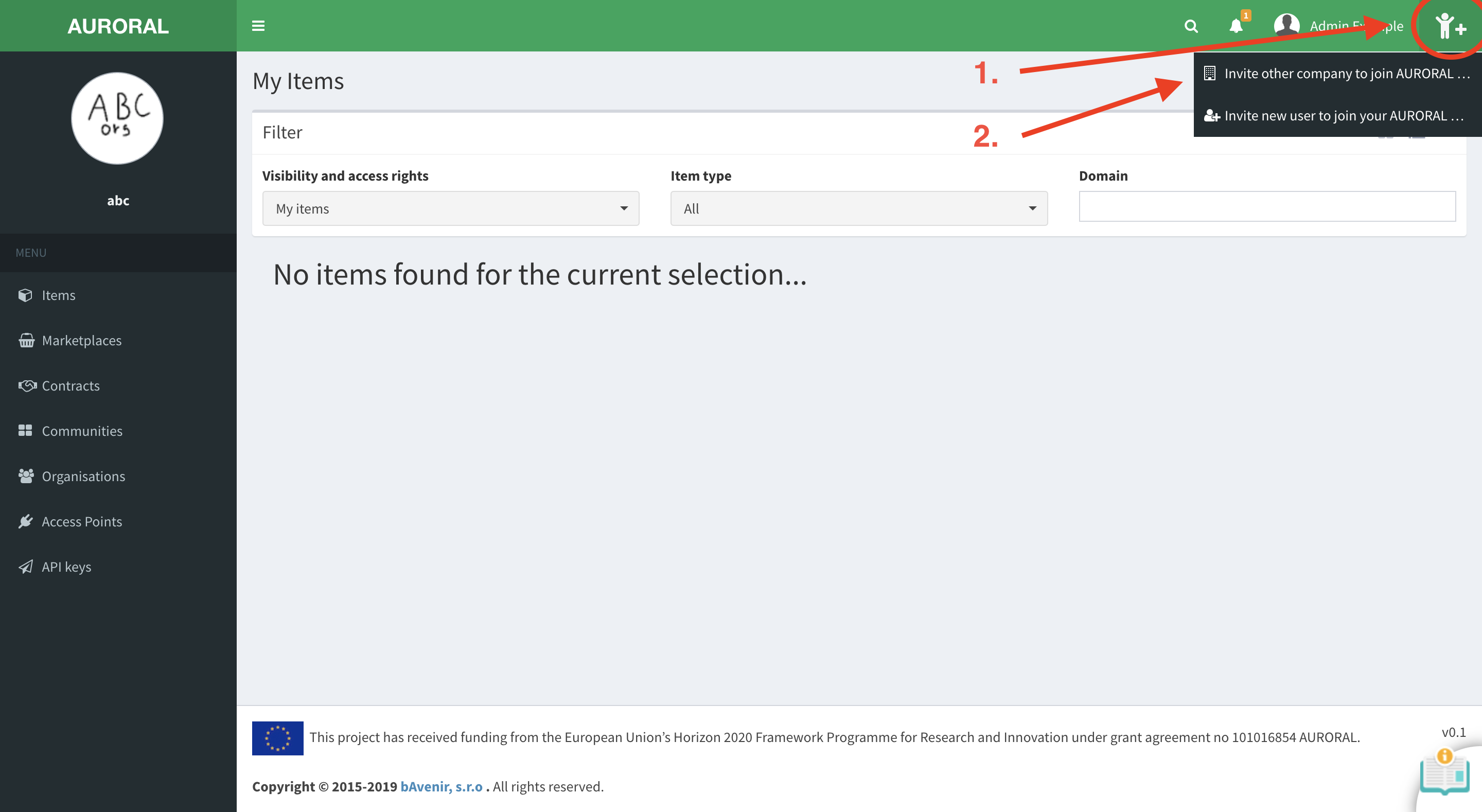
Here you will have to provide the name of the organisation and email where the invitation will be sent to:
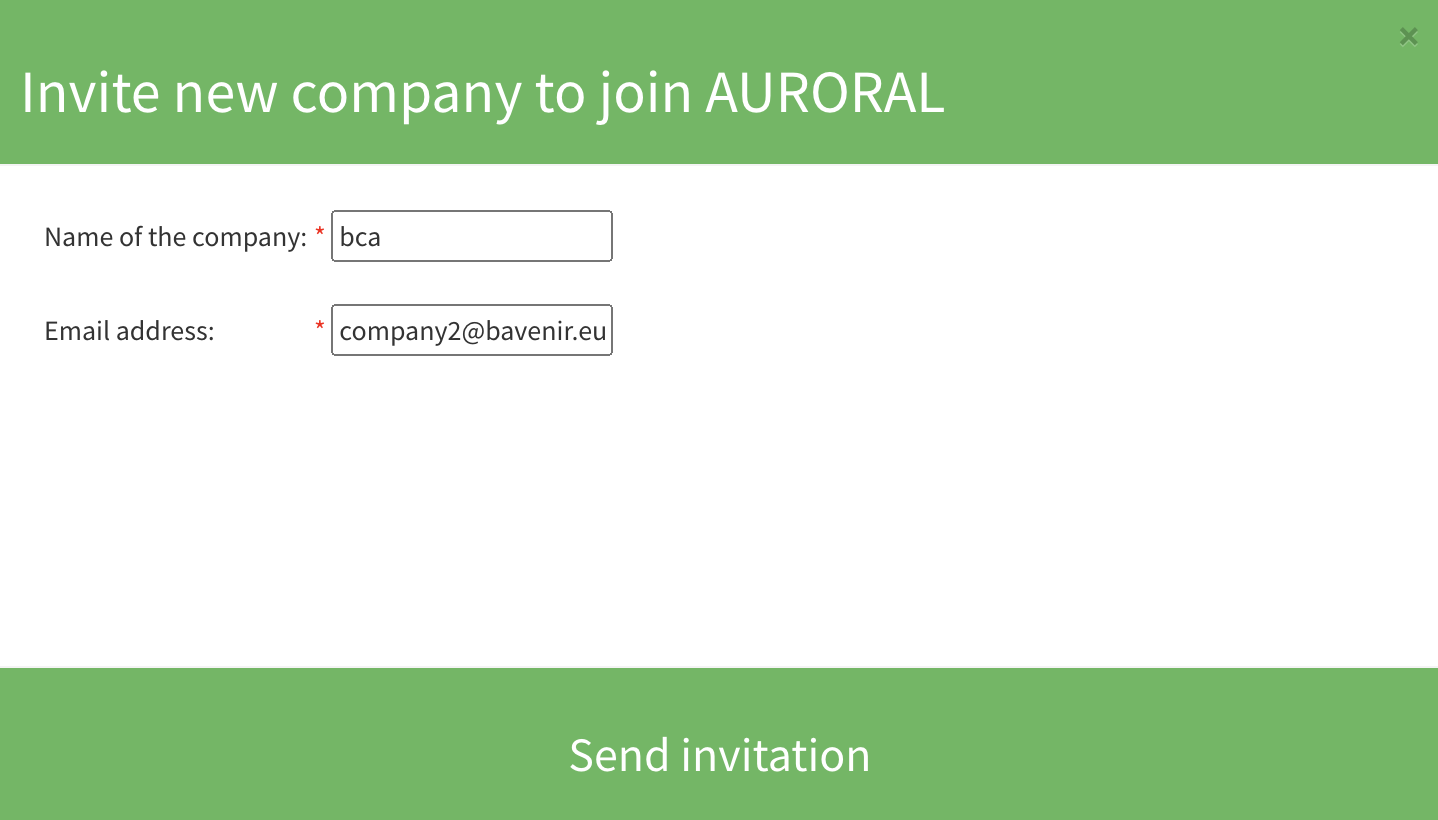
After you press Send invitation company should recieve email with link to registration form. Bellow is an example how this form looks like.
Example: Organisation registration form
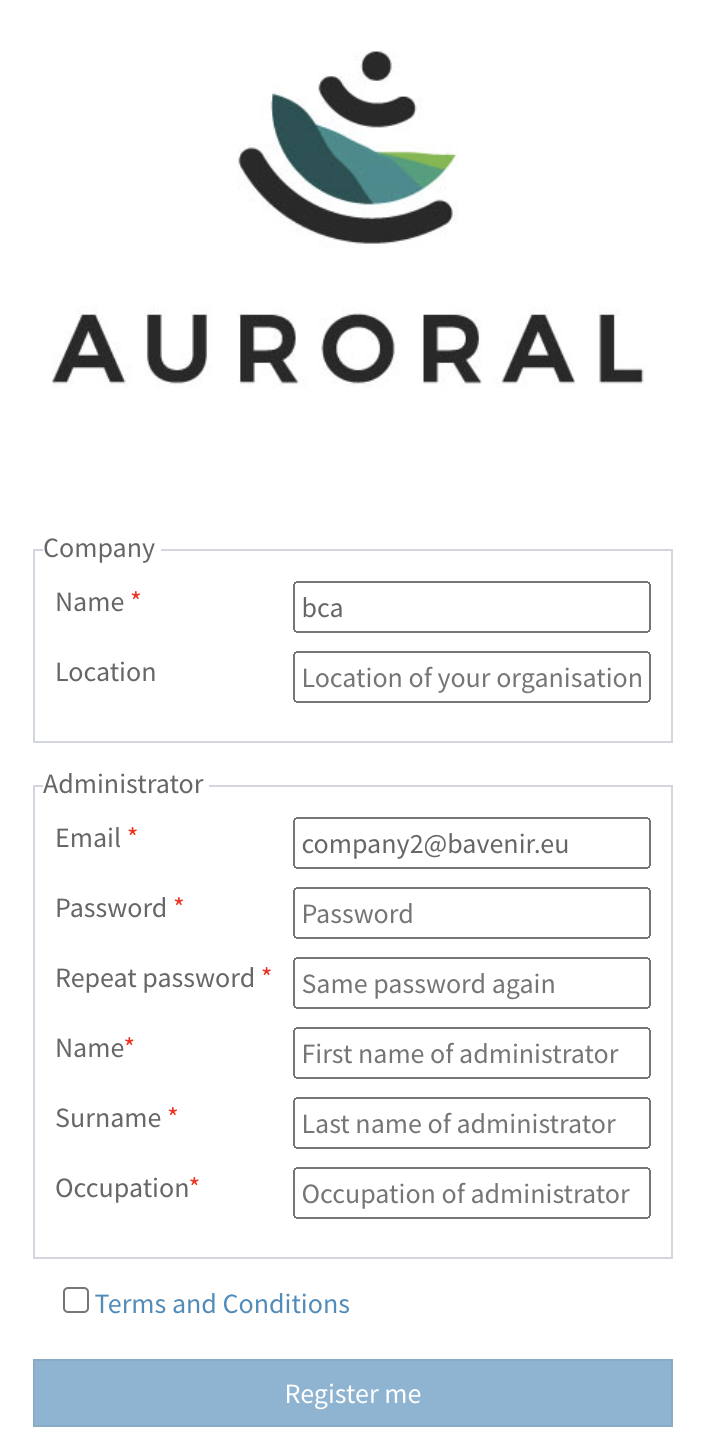
This is an example of registration form sent to a company.